Download Analysis
Overview
Trace a recorded download from its source URL to a destination file. Finish with the browser's observation, independent file checks and a clear statement about what remains unknown. A completed download does not establish execution or malware status.
Relevant browser artefacts
Download metadata resides in browser-specific history/profile data. Preserve the acquired profile and database companions, not just a screenshot or CSV. Identify the browser, profile, actual input path and version before choosing a parser. Record URL chains and target paths where the source and viewer expose them; missing fields must remain unknown.
Available Browser tools
| Tool | Primary purpose | Documented browser scope | Capabilities and use | Limitation |
|---|---|---|---|---|
| BrowserDownloadsView | Download metadata | Chrome/Firefox and documented Chromium variants | Compare source/page URLs, names, sizes and start/end times | A row does not prove the current file exists, contains the expected bytes or ran. |
Use BrowsingHistoryView or ChromeHistoryView to add navigation context. Refer to the selection guide before acquiring or opening sources.
Investigation workflow
- Identify: define the reported filename/path, case interval, host and relevant profiles. Do not merge same-name files from different folders.
- Preserve: acquire a consistent profile set and retain it unchanged. Open a working copy; export to separate storage.
- Select: check the publisher's format/version notes against the capture. A running application is not proof it decoded the source correctly.
- Examine: retain the download URL, referring/page URL where present, destination, start/end times, bytes and reported state. Identify interrupted/retried entries separately.
- Export: save the relevant rows with headers and source/profile context; keep filters, parser version and time settings.
- Correlate: locate the destination on the same acquired volume, compare path and size, hash retained bytes if available, then examine NTFS metadata and changes. A path/size match is weaker than a content comparison.
- Report: distinguish browser state, file presence, content verification and execution evidence. Retain discrepancies and alternative explanations.
Tool-specific instructions
BrowserDownloadsView
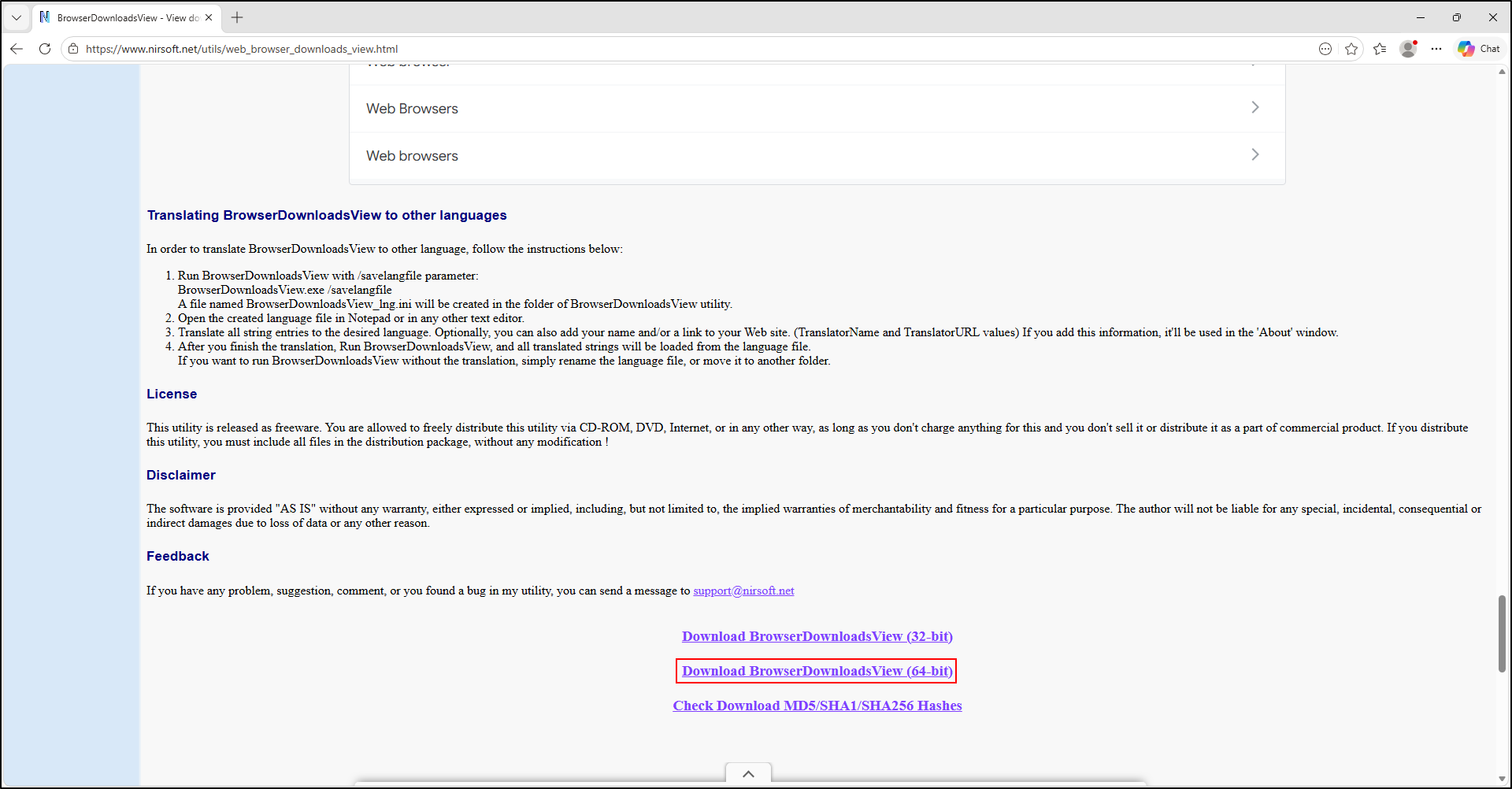
Extract the portable archive into C:\Tools\BrowserDownloadsView. In Advanced Options (F9), select the supported external/profile source and point it at the working copy. Review all profiles before applying the case filters. Use the selected-item save/export function with headers; retain the actual displayed columns and unavailable fields. Avoid actions that open downloaded files or remote URLs.
BrowserDownloadsView screenshots
The following screenshots show installation and startup, not evidence from the shared labs. Select the intended working copy instead of the default local source.
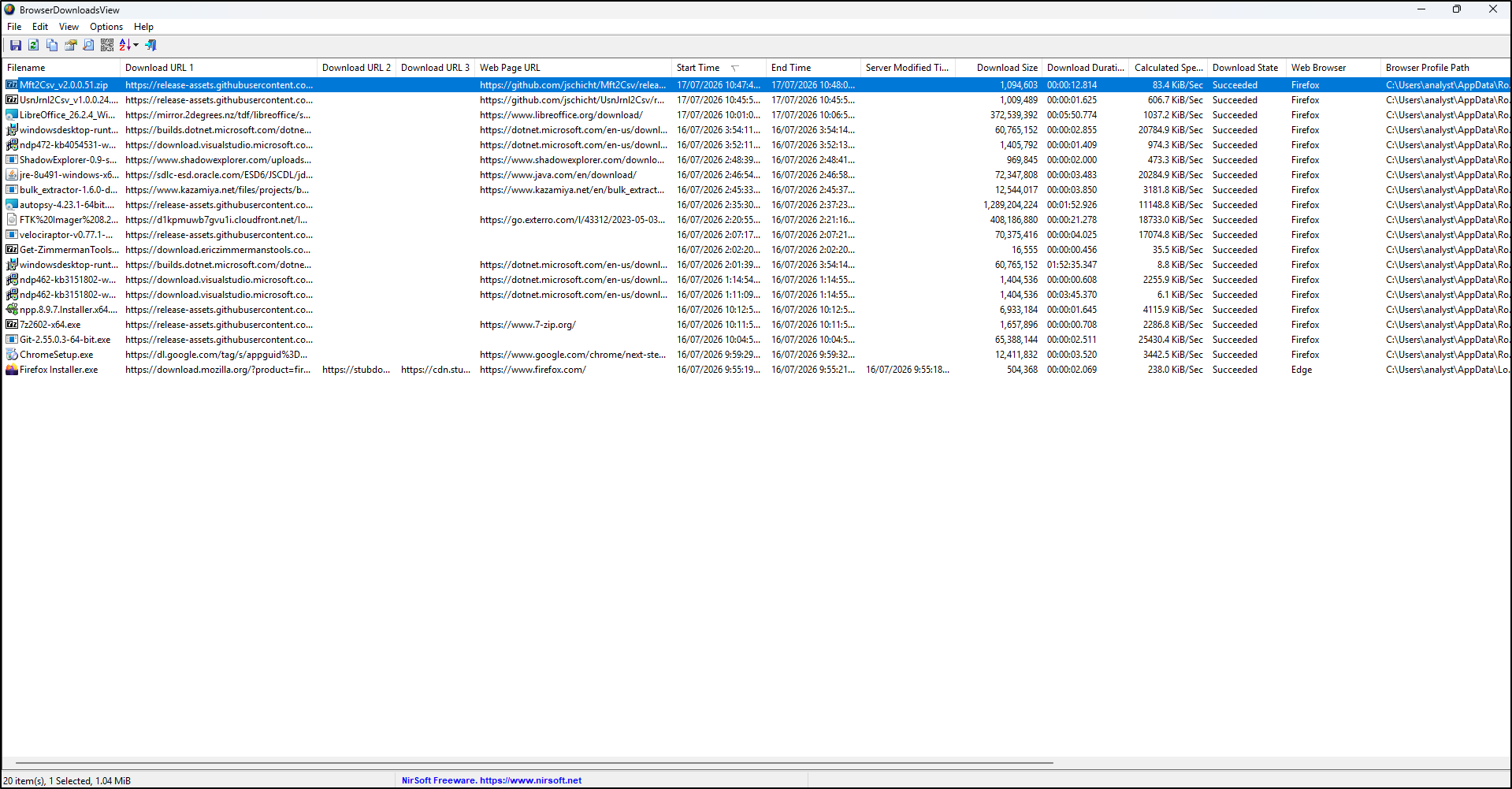
The row says complete, but the file is missing
Confirm source host/profile, acquisition time, path and retries. Examine rename/delete records and collection scope. The file could have moved or disappeared after the browser recorded completion. Preserve the disagreement; do not redownload from a case URL to fill the gap.