Validate and Report Chainsaw Results
03 / Make the finding reviewable
Your outcome: trace a rule match back to its event and explain what it supports. A CSV row helps you prioritise; keep the source EVTX and raw record so another analyst can check your reasoning.
- Start with
- The unedited result table
- Validate against
- The saved EVTX and raw record
- Finish with
- A finding and its evidence references
Review the exported table
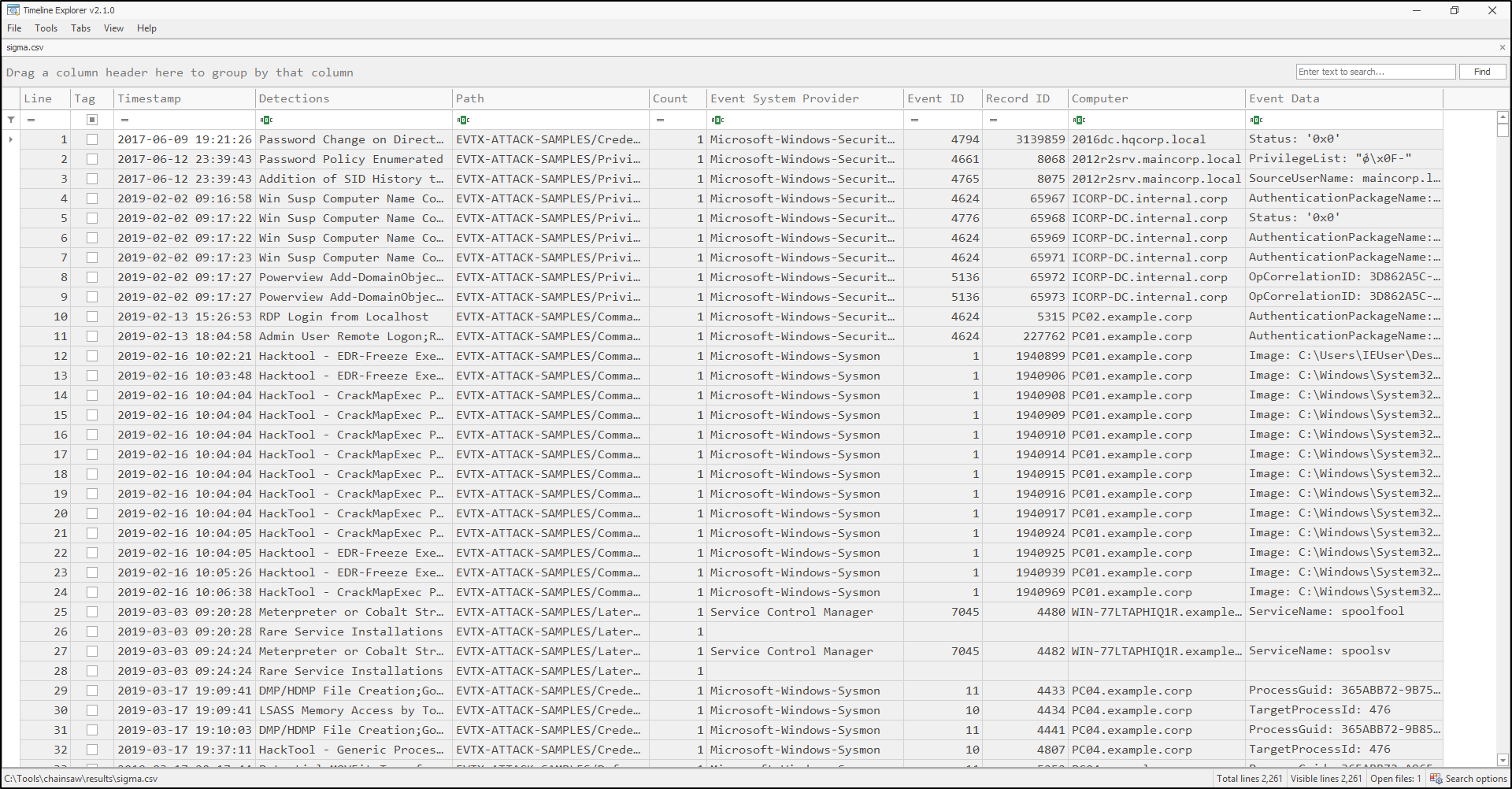
You can view sigma.csv with Timeline Explorer, as in the original SUSA workflow. This viewer is a separate application; Chainsaw's analysis happens in the terminal.
- 1
Open the exported CSV Inspect the output directory and column names. Other rule groups can produce different filenames.
- 2
Find a useful lead Filter to an interesting rule or host, then sort by timestamp.
- 3
Save the review context Keep the original CSV unedited. Save a filtered view or screenshot separately and record the filter.
Work from the match back to the record
Record title, identifier, level, conditions and revision. Severity is a prioritisation aid.
Locate the record by input file, computer, channel, record ID and timestamp. Read all relevant fields.
Check approved changes, logon sessions and process evidence. Record missing sources.
For the group-addition case, read these fields together. The Event 4732 field definitions explain their meaning.
Which exact record?
Computer / channel / record IDIdentify the source host and log. Record IDs are local to a log, not globally unique.
When was it recorded?
TimeCreatedPreserve the original value and its timezone before combining timelines.
Where was the member added?
TargetSid / TargetUserNameS-1-5-32-544 identifies built-in Administrators.
Which principal was added?
MemberSid / MemberNameA name can be -. Retain the SID instead of inventing a username.
Which account requested it?
SubjectUserName / SubjectUserSidThe requesting account does not identify the human at the keyboard.
Which logon session?
SubjectLogonIdCorrelate on the same host and session. An isolated sample may lack the corresponding logon.
- 1Open Event ViewerChoose Action › Open Saved Log and select the saved EVTX.
- 2Select the eventFind the record using its computer, channel, record ID and time.
- 3Read Details › XML ViewCompare the record ID and fields with Chainsaw's raw search JSON.
A missing provider message on the analysis workstation does not mean the XML is empty.
XML attributes can appear under names such as TimeCreated_attributes. Read the record rather than guessing field paths.
Make a defensible handover
Turn the evidence into a reviewable noteA finding has four parts
Keep what you observed separate from what it may mean. Use this group-addition example as a structure for your own finding.
Observation
The saved Security log contains Event 4732 adding the recorded member SID to S-1-5-32-544, with a specific computer, time and record ID.
Interpretation
This is a privileged group membership change worth checking against approved administration.
Limitation
This record alone does not establish malicious intent, a later logon, or the identity of the human responsible.
Next step
Obtain the change ticket and correlate the subject's session with authentication and process evidence from the same host and period.
- Inputs and identitySource EVTX, input hashes and tool version.
- Method and configurationExact commands, rule and mapping copies or revisions.
- Results and limitsUnfiltered output, raw event exports, console logs, parse failures and missing channels.
The Hands on labs practise this handover with feedback and a real two-record sample.