Static Analysis Workflow
Use PEStudio to answer one question: What does this file contain that deserves investigation? Follow the steps in order, recording observations as you go. This walkthrough preserves the original knr.exe example. It is not a sample download; your authorised training file may produce different results.
Prepare the sample and environment
Complete the setup and safety checks. Keep the original and work on a copy. Record its provenance, source filename, working path, SHA-256 and tool version. Use the same sample identity throughout your notes, even if its filename changes.
The original instructions used C:\Tools\knr.exe. The screenshots show knr.exe under a Downloads subfolder named wireshark export. These are example locations, not required paths. Use the location of your controlled working copy.
Open the sample and establish its identity
On your analysis VM, open C:\Tools\pestudio\pestudio.exe. Choose File → Open and select the working sample. You can also drag a file into PEStudio. Do not launch the sample from File Explorer.
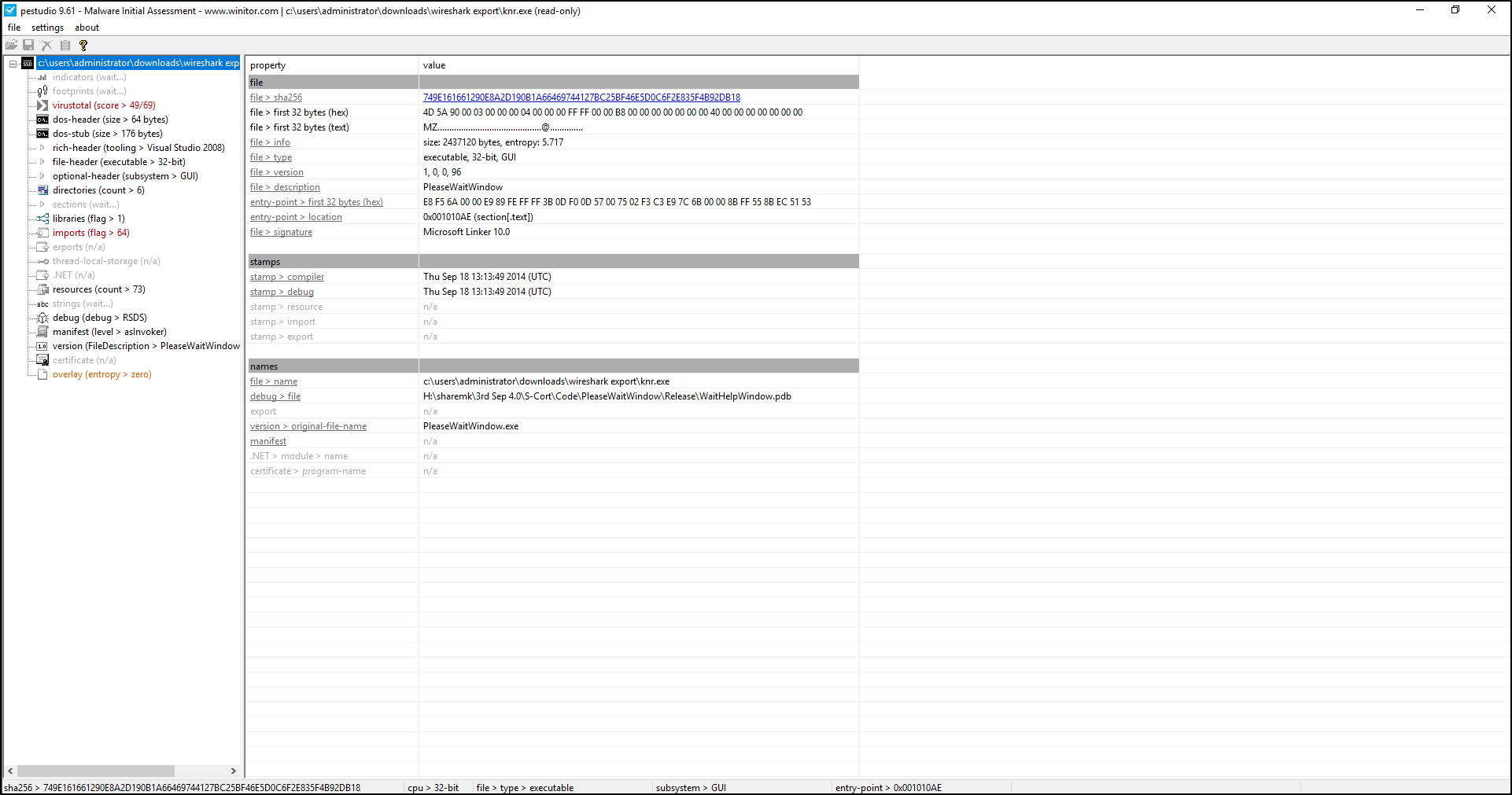
Select the file at the top of the analysis tree to return to this summary. The tree on the left chooses a view; the table on the right contains its results.
Examine: SHA-256, type, architecture, size, entry point, names and version metadata. SHA-256 identifies the exact bytes; the extension or filename alone does not identify the file type or establish trust.
Record: the hash and actual type, plus relevant differences between the filename and embedded description. Here, knr.exe has embedded names referring to PleaseWaitWindow. A mismatch is a lead, not proof of deception.
Examine headers and sections
Select file-header, optional-header, then sections in the left tree. A PE header describes how Windows can load the file. The entry point is where execution starts. Sections group code and data; names such as .text and .rsrc are common conventions, not guarantees about their contents.
Examine: architecture, entry point location, section sizes, permissions and entropy. Entropy describes byte variability; high values can result from compression or encryption as well as packing. Writable code sections or unusual combinations of permissions deserve context.
Record: the section name and exact characteristic you are investigating. The original example flags a self-modifying .text section in the tree and indicator summary below. This does not prove that the sample modified itself during execution. Compiler timestamps can be altered; they are not reliable evidence of when an attacker built or deployed a file.
Inspect imports and possible capabilities
Select libraries and imports. Imports name functions the file expects to use from other libraries. An API is a function a program can call to request operating-system services.
Examine: the imported library, function name and related findings. Functions concerned with processes, memory, networking, files or the clipboard may help frame questions. They also occur in legitimate software. Imports resolved dynamically may not appear in the normal import table.
Record: exact function names and the proposed capability, with a limitation. The original indicator summary includes flagged imports such as CloseClipboard and CopyFileW. Their presence alone does not establish clipboard theft or file copying on an affected host. Check relevant endpoint records or inspect code before claiming execution.
Inspect strings for investigation leads
Select strings. Strings are readable character sequences extracted from the file. Look for URLs, IP-like values, commands, paths, debug information and distinctive messages. Many entries are ordinary library text or accidental readable bytes.
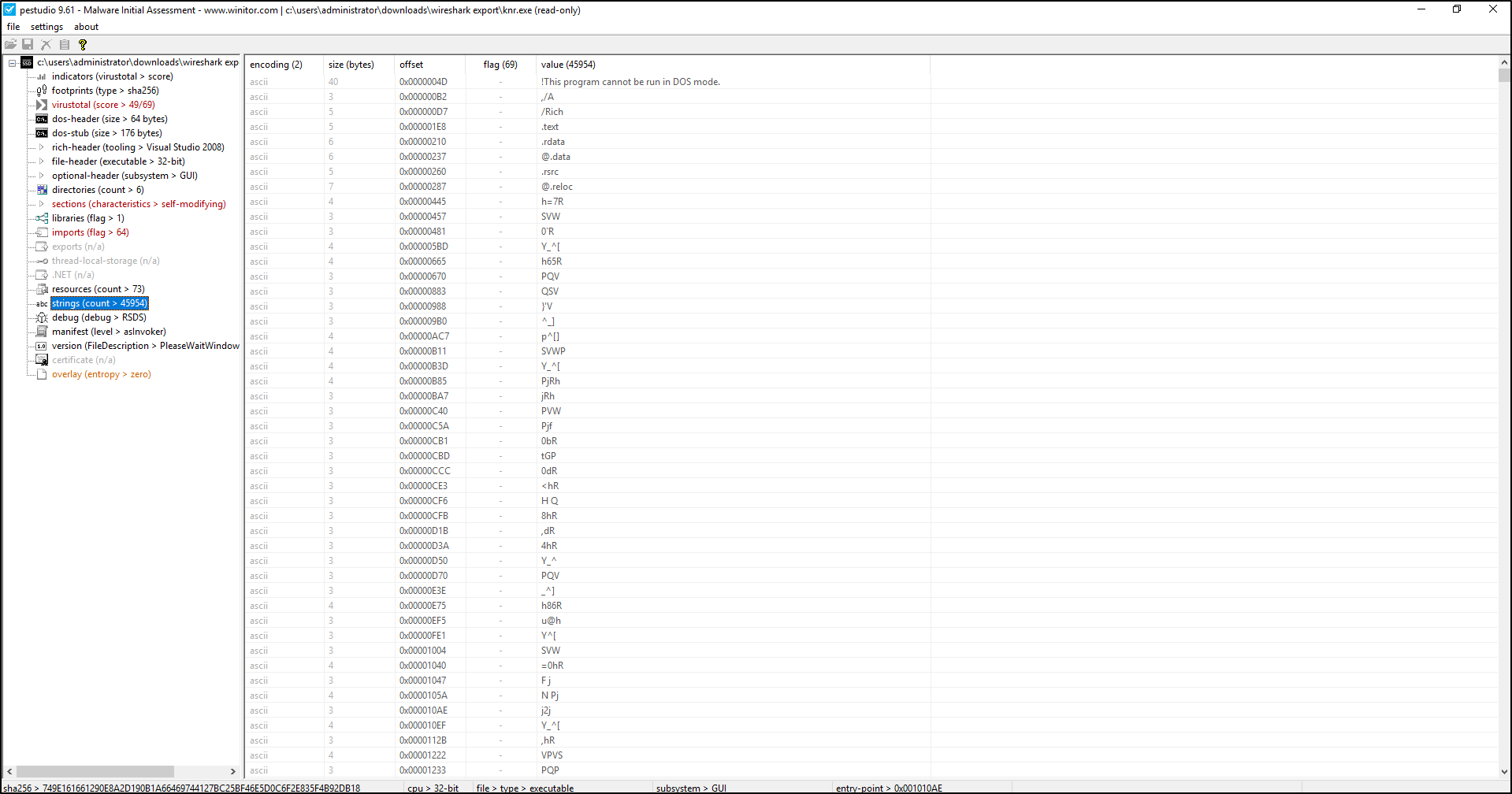
The original Strings screenshot shows substantial noise. Read the value and surrounding context; the string count is not a measure of maliciousness.
Record: the exact string, offset when available, source view and why it matters. Do not browse recovered addresses. Treat address-like strings as candidates until validated: a version number or unused resource can resemble an indicator. Encoded strings may require a separate tool such as FLOSS.
Review indicators together
Select indicators to review PEStudio's summary of noteworthy properties. Return to the underlying view before drawing a conclusion. Flags prioritise inspection; they are not a malware verdict.
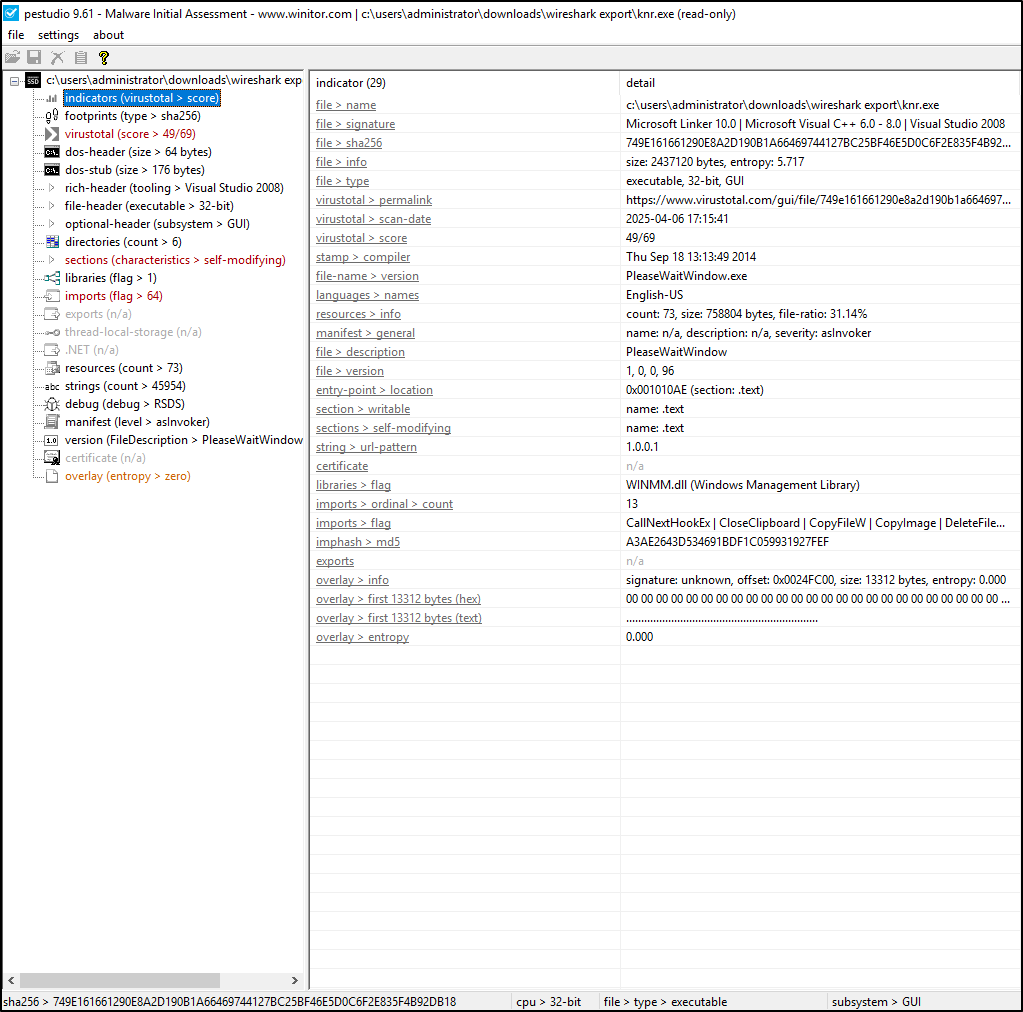
This summary brings several observations together. It does not show that the sample ran, contacted an address or performed any flagged action.
Examine: related observations and alternative explanations. In this example, string > url-pattern contains 1.0.0.1; confirm its context before describing it as a network destination. The file > signature text describes recognised toolchain characteristics. It is different from an Authenticode digital signing certificate; the certificate field here is n/a.
Record: two or three useful observations with their source views, interpretation and uncertainty. A missing certificate or a flag can also occur in benign programs. Conversely, a valid certificate does not guarantee benign behaviour.
Check reputation when appropriate
PEStudio calculates file hashes and can retrieve VirusTotal reputation information. Availability depends on the edition, version, configuration, network access and service requirements. Inspect the installed version's settings before allowing external queries; do not assume every online session automatically returns a report.
Search by hash
If policy permits, copy the sample's SHA-256 and search for its existing report at VirusTotal. A hash lookup is different from uploading the file. If there is no report, record not found; do not upload automatically. Even a lookup sends information to an external service.
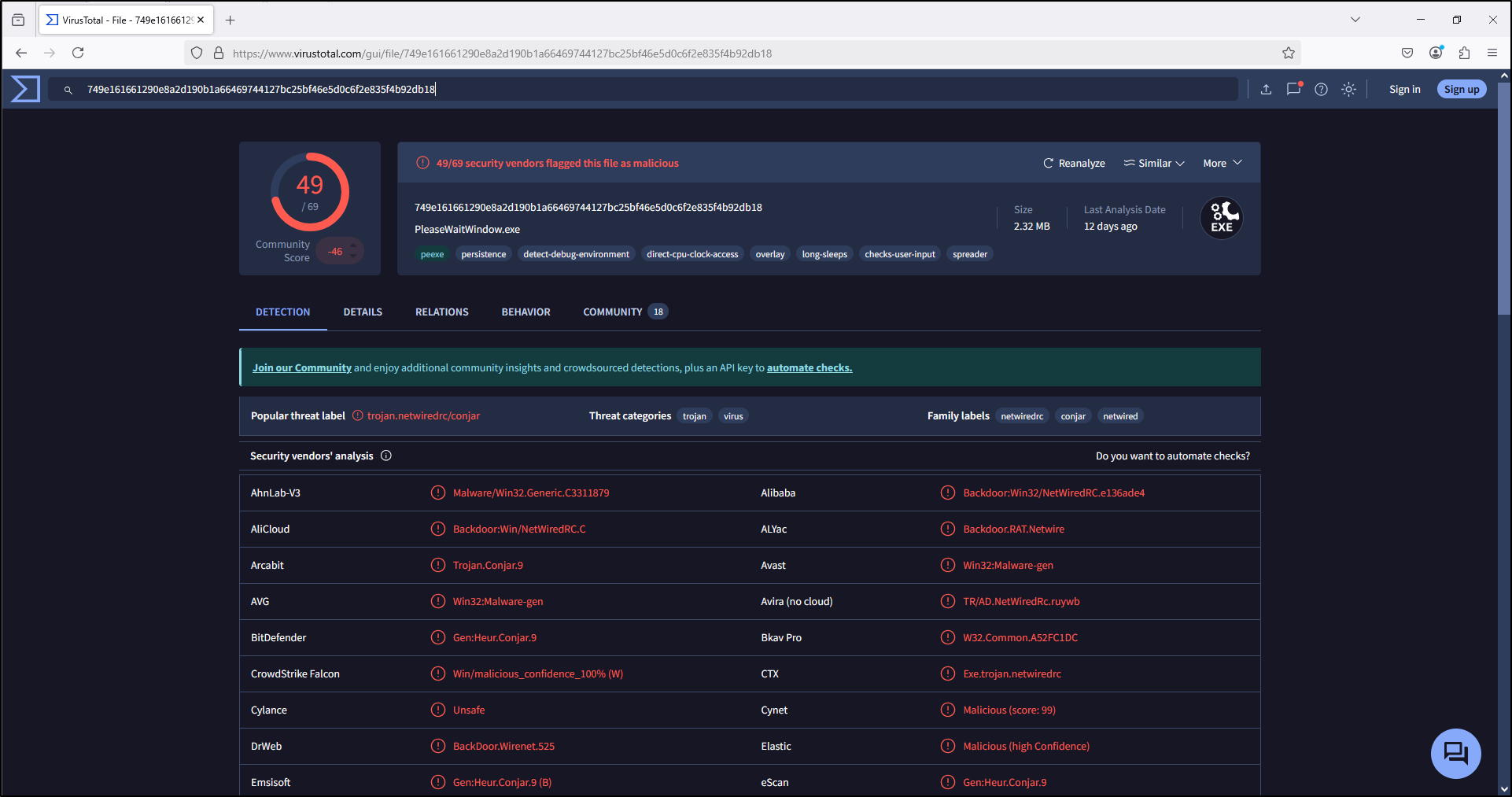
The screenshot is a historical result, not a current score or a required lab answer. Detection names differ between vendors and do not establish attribution.
Read PEStudio's VirusTotal view
Select virustotal in PEStudio when results are available. Compare the hash, report date, vendor labels and age of the information. Record unavailable results explicitly; an offline lookup failure is not a clean result.
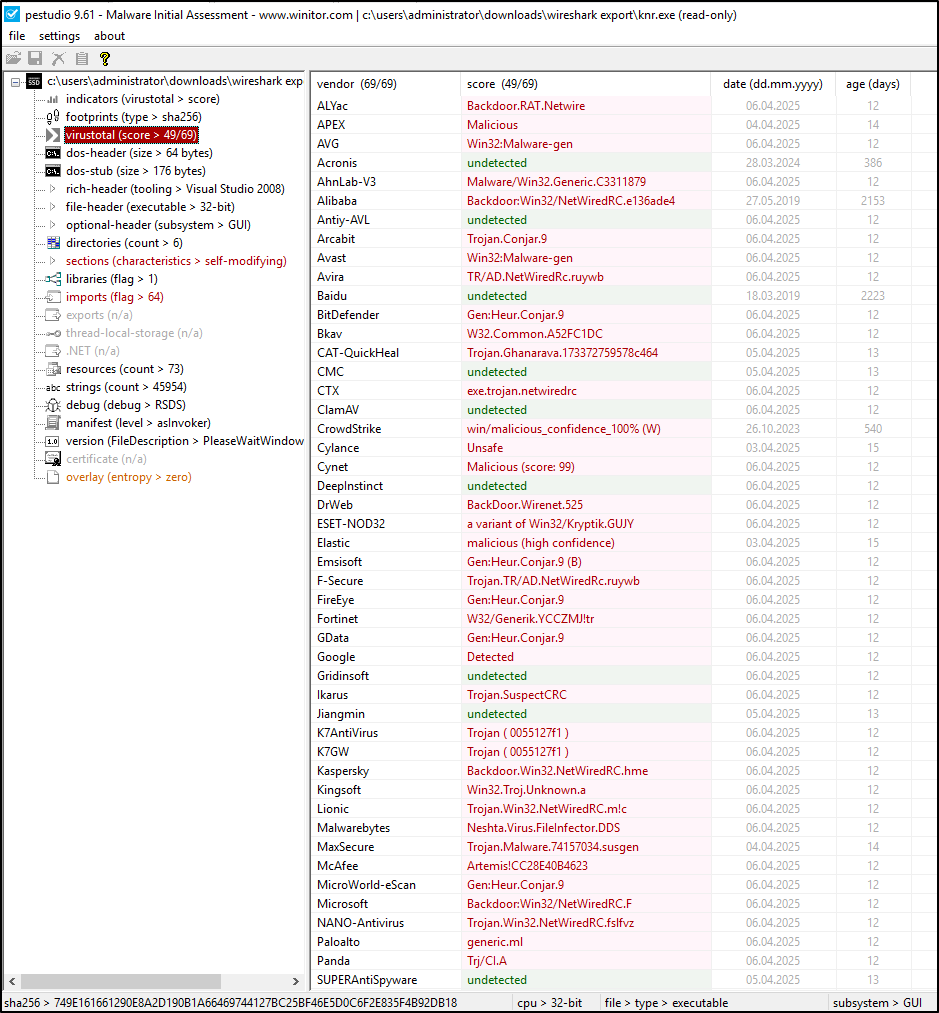
This is reputation information for the same file, displayed inside PEStudio. It is not evidence of execution on your endpoint.
Use VirusTotal's search guidance and your organisation's policy. Submitted file contents may be shared with partners or customers; see how VirusTotal works. A zero score does not prove a file is benign, and a detection score is not a probability of maliciousness.
Record a finding and choose the next step
Keep relevant screenshots or notes alongside the input identity. Use XML report export only if your edition supports it; a structured analyst note and selected screenshots are sufficient for these labs.
| Field | What to record |
|---|---|
| Context | Case question, authority, sample source, working path, tool version, examination time and time zone |
| Identity | SHA-256, size, actual type and architecture |
| Observations | Exact values and source views, with supporting screenshots or output |
| Interpretation | Possible capabilities and why several observations matter together |
| Limitations | No execution observed, missing data, alternative explanations and unavailable reputation |
| Next check | Specific endpoint, memory, code or network evidence that could confirm or challenge the interpretation |
Example: The historical knr.exe file contains flagged imports and section characteristics, and the screenshot records a VirusTotal score of 49/69. These support further investigation of this file. Static inspection does not establish execution, clipboard access or network communication on a host. Next, correlate the sample hash and path with endpoint execution records, then investigate relevant capabilities using additional evidence.