Install and Prepare Chainsaw
01 / Get a repeatable starting point
Your outcome: run Chainsaw from PowerShell and identify the executable, mapping, rules and evidence used in your case.
- Workstation
- Windows SUSA or training VM
- Interface
- PowerShell terminal
- Access
- Accessible saved EVTX copies usually need no administrator rights
Accessing Chainsaw in SUSA
Download Chainsaw for Windows from the official releases. Select the archive for your system architecture; the examples here use the Windows x64 build. Binary-only and larger bundles differ in their contents. Record the release, download URL and date.
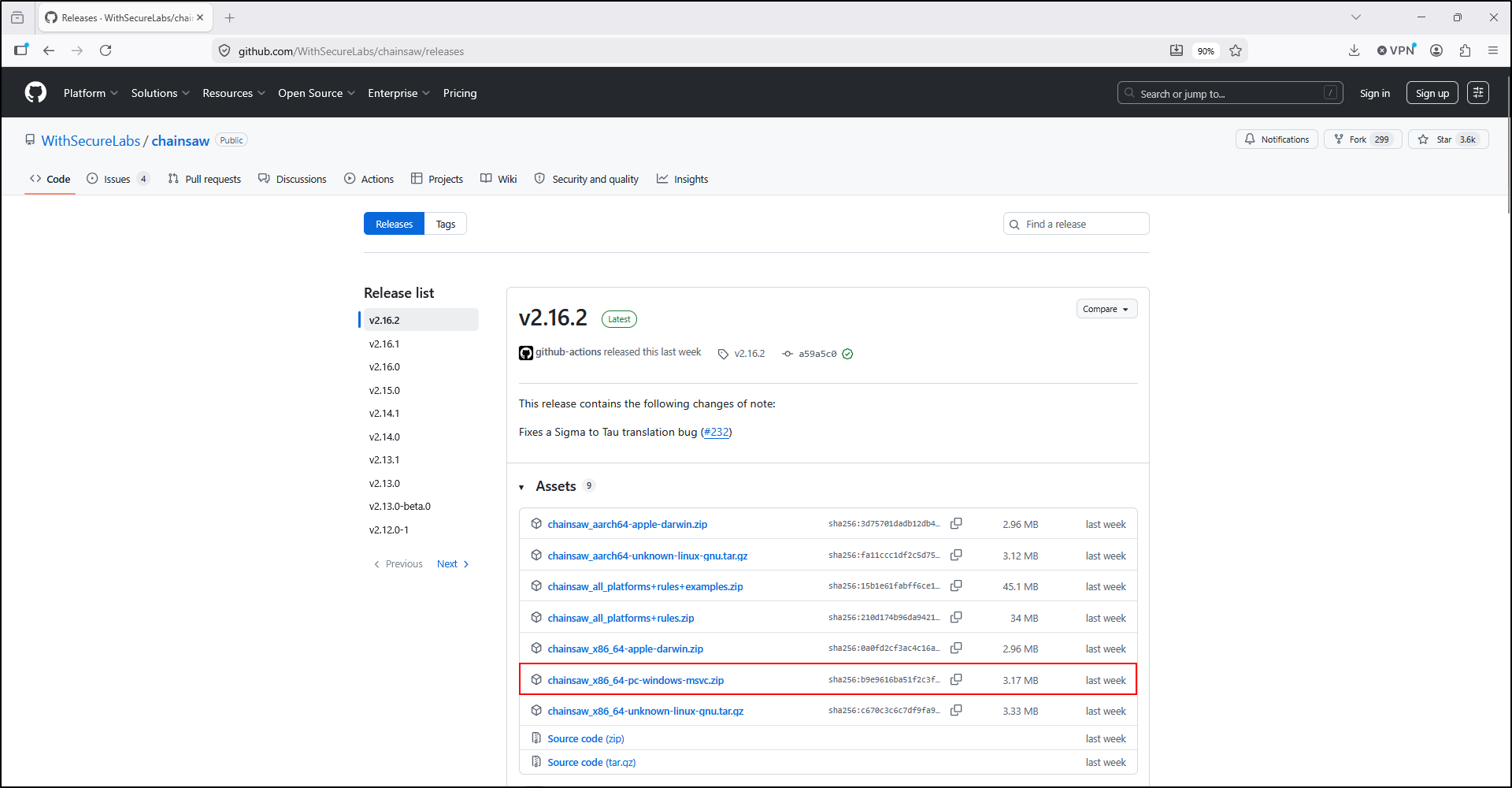
Extract the ZIP archive to C:\Tools. Arrange the contents so the executable is at C:\Tools\chainsaw\chainsaw.exe, with the mappings folder alongside it. Check for an extra nested chainsaw\chainsaw folder before running the commands.
Set-Location 'C:\Tools\chainsaw'
.\chainsaw.exe --version
.\chainsaw.exe --help
.\chainsaw.exe search --help
.\chainsaw.exe hunt --help
Get-FileHash -Algorithm SHA256 -LiteralPath '.\chainsaw.exe'
Test-Path '.\mappings\sigma-event-logs-all.yml'
Check your result
Version and help output appear, and the mapping check returns True. If it is missing, obtain the mapping from the same Chainsaw release. These examples were verified with Chainsaw 2.17.1; use your installed help if a later release differs.
Add rules and practice logs
The original setup opens a command prompt in C:\Tools\chainsaw and clones the Sigma and EVTX-Attack-Samples repositories. These same commands work in PowerShell when Git for Windows is installed:
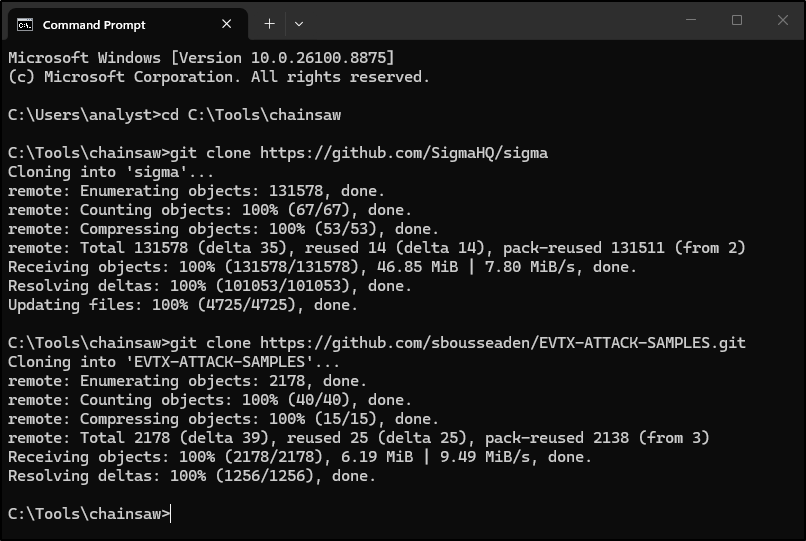
The upstream setup guide explains the separate repositories. Choose the setup route that fits what you already have:
Keep existing repositories and inspect their revisions. If using ZIP downloads, rename extracted folders to match your commands.
The lab downloads one sample and supplies a training rule. Cloning both repositories is optional for that route.
git -C .\sigma rev-parse HEAD
git -C .\EVTX-ATTACK-SAMPLES rev-parse HEAD
Get-ChildItem '.\EVTX-ATTACK-SAMPLES' -Recurse -Filter '*.evtx' |
    Select-Object -First 5 FullName
Check your result
Two revision identifiers and EVTX paths appear. Save the identifiers with your case notes. The Git revision commands apply to cloned repositories; for ZIPs, record the source archive and revision or release when available.
Keep inputs separate from results
Record collection method, host, channels and SHA-256. Analyse a working copy and retain the original.
Save version, rule revision, mapping hash and exact commands. Keep these fixed within a comparison.
Keep detections, raw search exports, console errors and notes outside the input folder.
For your own case, use a layout such as this. The Full Lab creates it for you.
Find the symptom / check the causeSetup troubleshooting
Start with the message you see. Complete its check, then rerun the relevant setup command.
“chainsaw is not recognised”
- Check
- Open PowerShell in the folder containing
chainsaw.exe. Run.\chainsaw.exe, or use its full path. - Ready when
- The version command prints the Chainsaw version instead of a command-not-found error.
Mapping path does not exist
- Check
- Inspect the extracted folder for an extra nested
chainsawdirectory. Keep the mapping from the same release as the executable. - Ready when
- The mapping file is at the path used by your command and
Test-PathreturnsTrue.
Git is not recognised
- Check
- Install Git or download repository ZIPs. If using ZIPs, check the extracted folder names against your commands.
- Ready when
- You can locate the Sigma rules and the EVTX inputs, or use the Full Lab's smaller download route.
Access denied on live logs
- Check
- Use properly acquired, accessible EVTX copies. Reading a live channel and analysing an exported file are different tasks.
- Ready when
- Your account can read the authorised working copy and Chainsaw can load it.
Output folder already exists
- Check
- Keep the previous results. Select a fresh run name and record why you are retrying.
- Ready when
- The next run has its own output location and the earlier evidence remains available.